
Equipment tracking for teams in the field
Know where every asset is.
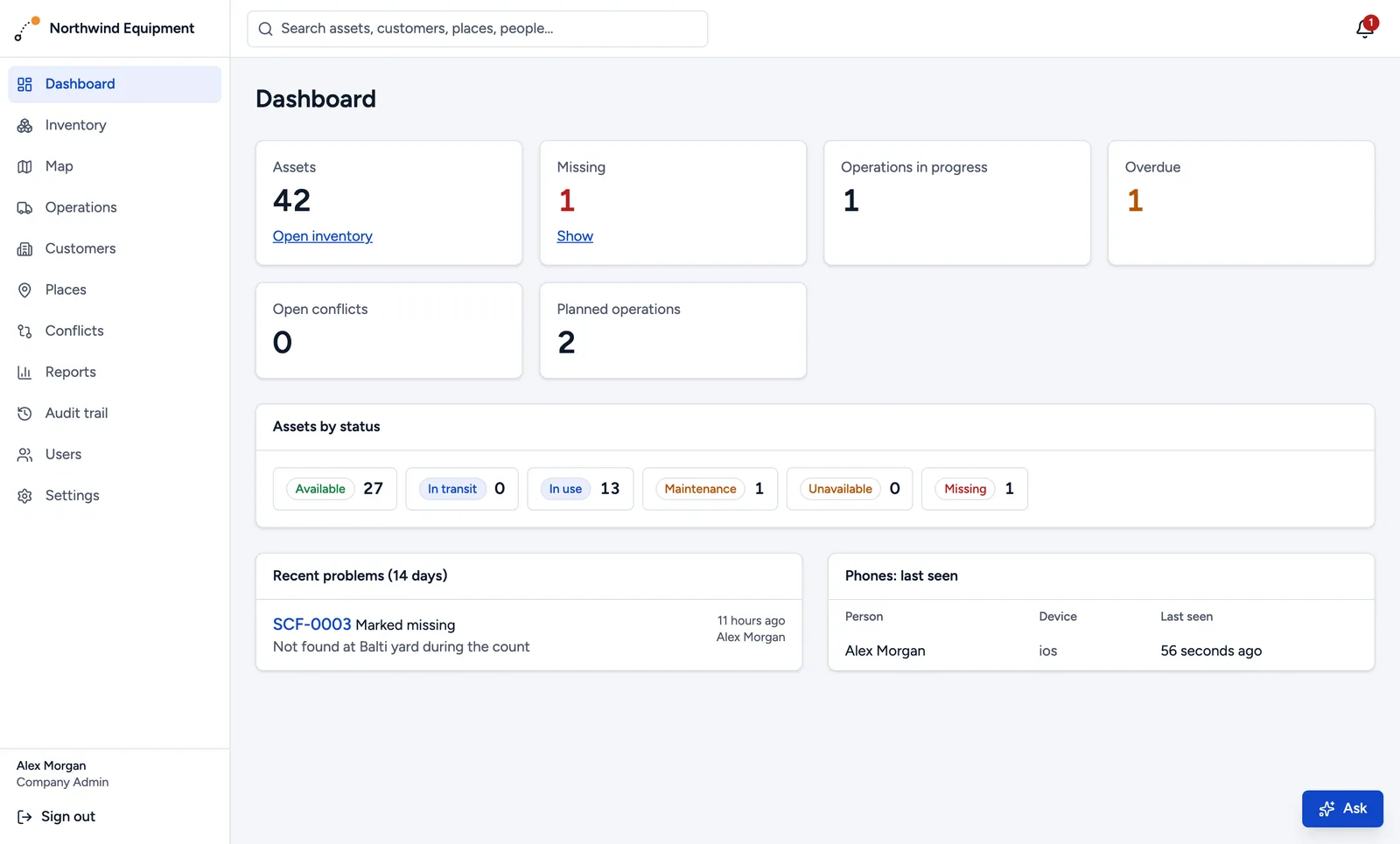
Generators, tools, machines, site equipment: Peacolo shows where each item is, who has it and what happened to it. Your team scans a label with their phone, even with no signal, and everyone sees the same picture.
1 month free. No card needed.
Scan
Every item gets a QR label. Workers scan it to start a delivery, hand it over, or report a problem, with a photo and GPS as proof.
See
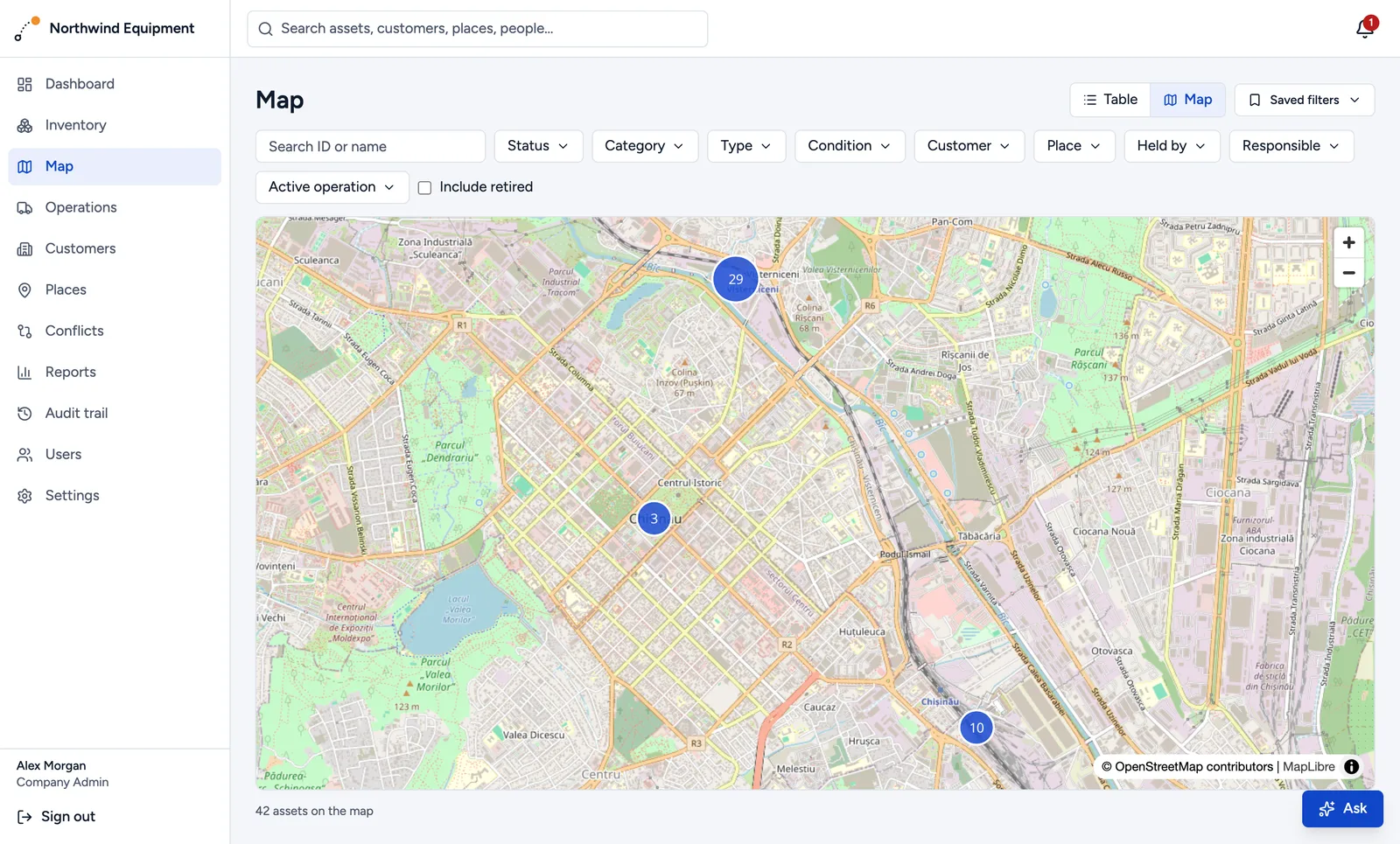
A live inventory and map: what's at the depot, on which site, with which customer, and who's holding it right now.
Know
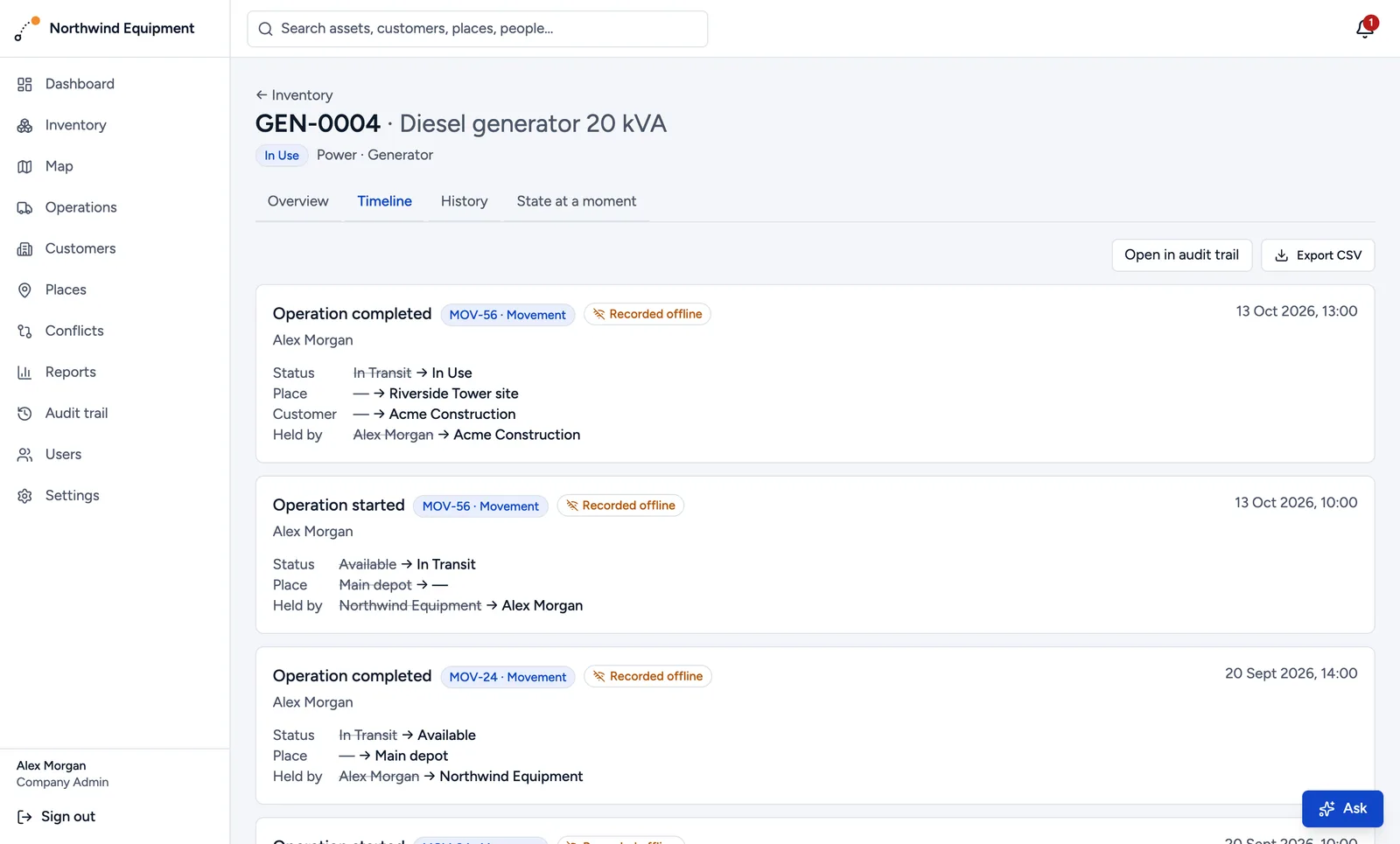
A complete history of every item that can't be quietly rewritten: who moved it, when and where, and its state on any past date.
How it works
-
Add your equipment
Create hundreds of items at once. Each gets its own ID and a printable QR label.
-
Your team scans
The phone app works offline: on site, underground, in the van. It syncs as soon as there's signal.
-
Everyone knows
Managers see where everything is, what's overdue, and what needs attention.
Northwind Equipment
Maria Popescu
My tasks
MOV-58 · Movement
3 assets → Riverside Tower site
Recent
GEN-0004 · Diesel generator
In use · Riverside Tower site
Built for the people in the field
- Works without signal. Everything is saved on the phone and sent later, in the right order, with the time it really happened.
- One big Scan button. Large buttons that work with gloves and in bright sunlight.
- The next step first. Scan an item and the app suggests what's likely next: complete the delivery, start a task, report a problem.
- Proof built in. Photos, voice notes and GPS position are attached to each record.
Every move, on the record
Each item has a timeline: who took it, where it went, which customer had it, when it was repaired. Nothing is overwritten; corrections are added on top, so the history stays trustworthy.
- See exactly where an item was on any date
- Know who held it, not just where it was
- Export any history for a customer or a claim
Everything in one place
Live map
Every item at its last GPS position or its place.
Jobs and planning
Plan deliveries and maintenance, assign them, and see what's overdue.
Alerts
Overdue jobs, items not scanned for weeks, repeated problems: in the app, by email, or as phone notifications.
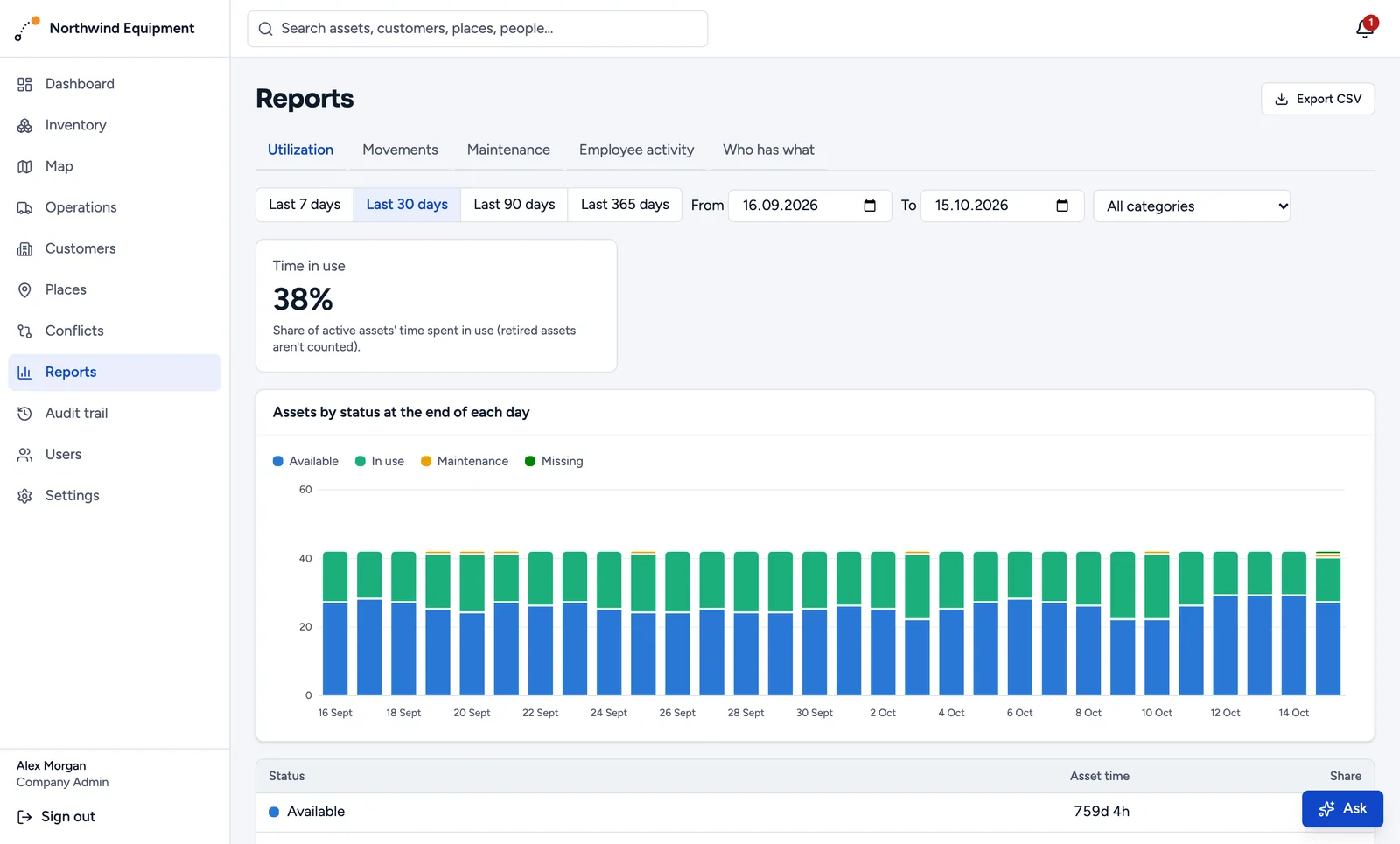
Reports
Usage, movements, maintenance, staff activity, and who has what.
Ask in plain words
"Which generators haven't moved in a month?" The assistant answers from your records, with links.
Roles and permissions
Workers, managers and office staff each see what they need.
Customers and sites
Track equipment with clients and on your own job sites.
Your data in the EU
Hosted in Frankfurt. Each company's data is kept strictly separate.
For any team that lends, moves or shares equipment

Try Peacolo free for a month
Create your company account in two minutes, add your equipment and invite your team. Prefer a walkthrough? We'll show you around.